
Add the chat to your PrestaShop webshop
Upload the module, click **Connect with Chat on Page** and the chat will appear in your webshop, including order status and current products.
With the PrestaShop module, you can add the chatbot to your webshop without any coding. The module connects an existing bot or creates one for your webshop right away. It works with PrestaShop 1.7.6 to 9.
Installing
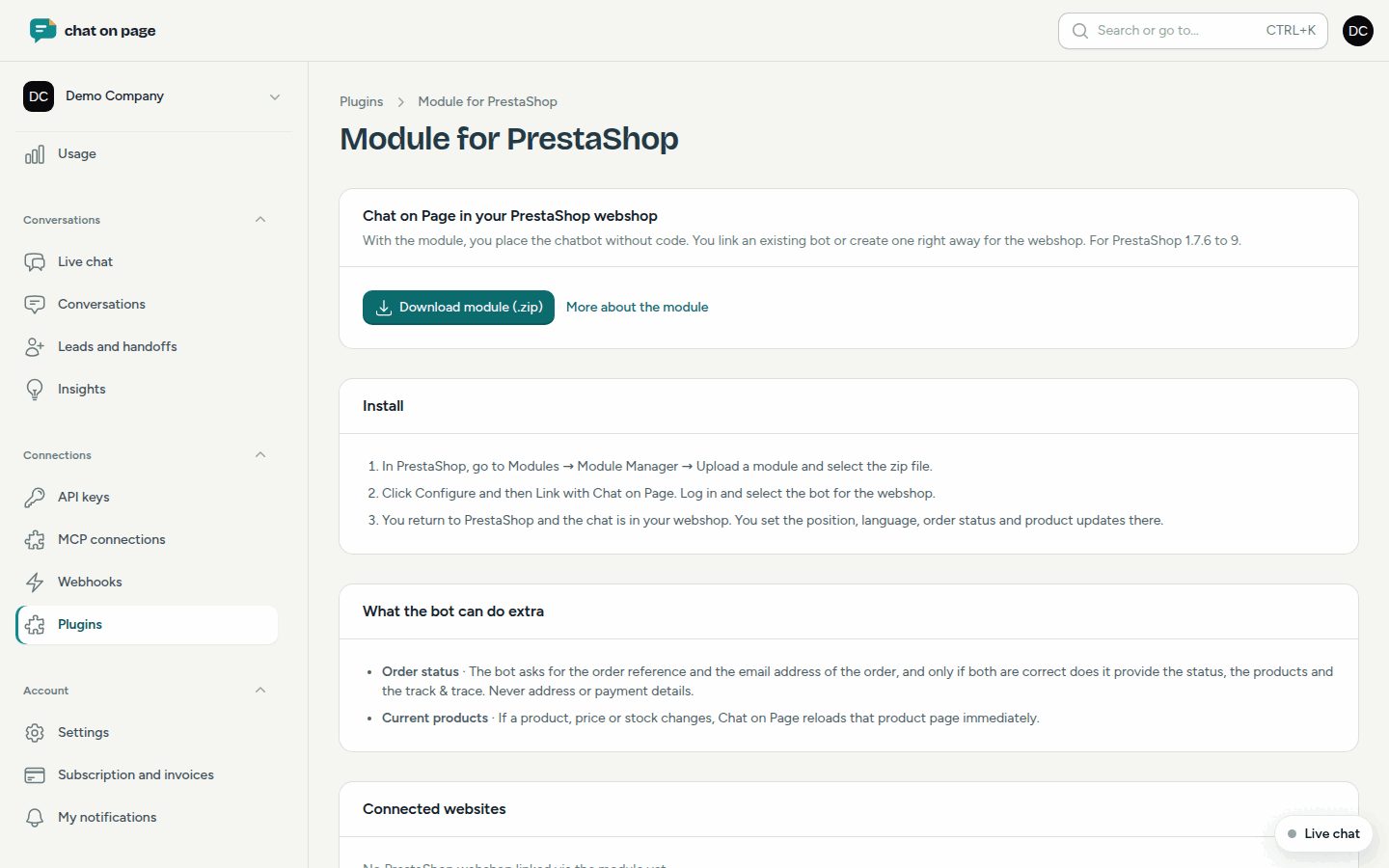
- In the portal, go to Connections → Plugins → PrestaShop and click Download module (.zip).
- In PrestaShop, go to Modules → Module Manager → Upload a module and select the zip file.
- Click Configure and then Connect with Chat on Page.
- Log in (or create an account) and select the bot for your webshop.
- You will return to PrestaShop, and the chat will appear in your webshop.
You can configure the position, language, order status and product updates in PrestaShop under the module settings.
What the bot can do extra
- Order status: the bot asks for the order reference and the email address of the order, and only if both are correct does it provide the status, the products and the track & trace. Never the address or payment details.
- Current products: if you change a product, a price or the stock, Chat on Page will immediately re-read that product page.
Good to know
- On the PrestaShop page in the portal, you can see which webshops are already connected. Under Embed code for the bot, you can see for each connected webshop whether order status and product updates are enabled, and when there was last contact.
- When connecting, the domain of your webshop is automatically added to the bot’s allowed domains.
- Prefer to use code? You can also do this with the embed code, but without order status and product updates.
- To see what the bot knows about your products, read Products.
Another question? Our assistant will help you right away.