
Place the chat using Google Tag Manager
Does your site use Google Tag Manager, as is often the case with Wix, Squarespace or Webflow? Then add the Chat on Page tag without modifying your site’s code.
If your website uses Google Tag Manager, you can place the chatbot without editing your site’s code. This is convenient for Wix, Squarespace, Webflow or a site managed by an agency.
Set up
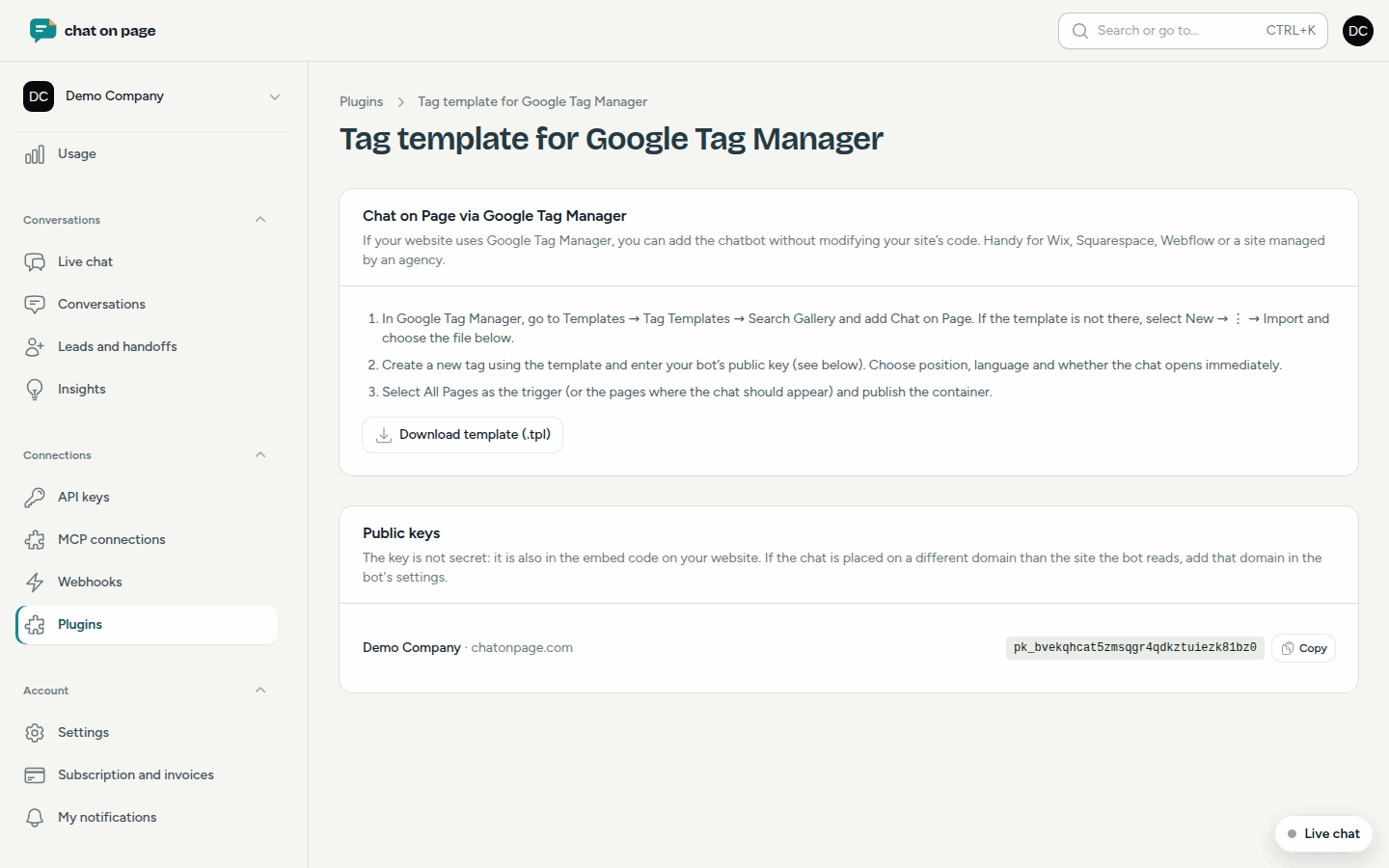
- In the portal, go to Connections → Plugins → Google Tag Manager.
- In Google Tag Manager, open Templates → Tag Templates → Browse Gallery and add Chat on Page. If the template is not yet available, click Download template (.tpl) in the portal. In Google Tag Manager, choose New → ⋮ → Import and select that file.
- Create a new tag using the template.
- In the portal, under Public keys, copy your bot’s key and enter it in the tag. Also select the position, language and whether the chat opens immediately.
- Choose All Pages as the trigger, or only the pages where the chat should appear.
- Publish the container.
Good to know
- The public key is not secret: it is also included in the embed code on your website.
- If the chat is on a different domain than the site that reads the bot, add that domain under Settings → General → Allowed domains. See General settings.
- If your bot shows "No active key yet", there is no key available to enter.
- Via Google Tag Manager, you only place the chat. Order status and product updates are only available with a plugin for your webshop, such as WordPress with WooCommerce or PrestaShop.
Another question? Our assistant will help you right away.