
Sources: what the bot reads
Add your website, a sitemap, files or custom text as a source, and choose how often the bot rechecks them.
Sources are everything the bot reads to answer questions: your website, a sitemap, files and custom text. The more complete your sources, the better the answers.
Add a source
- Open your bot and select Knowledge > Sources.
- Click Add source.
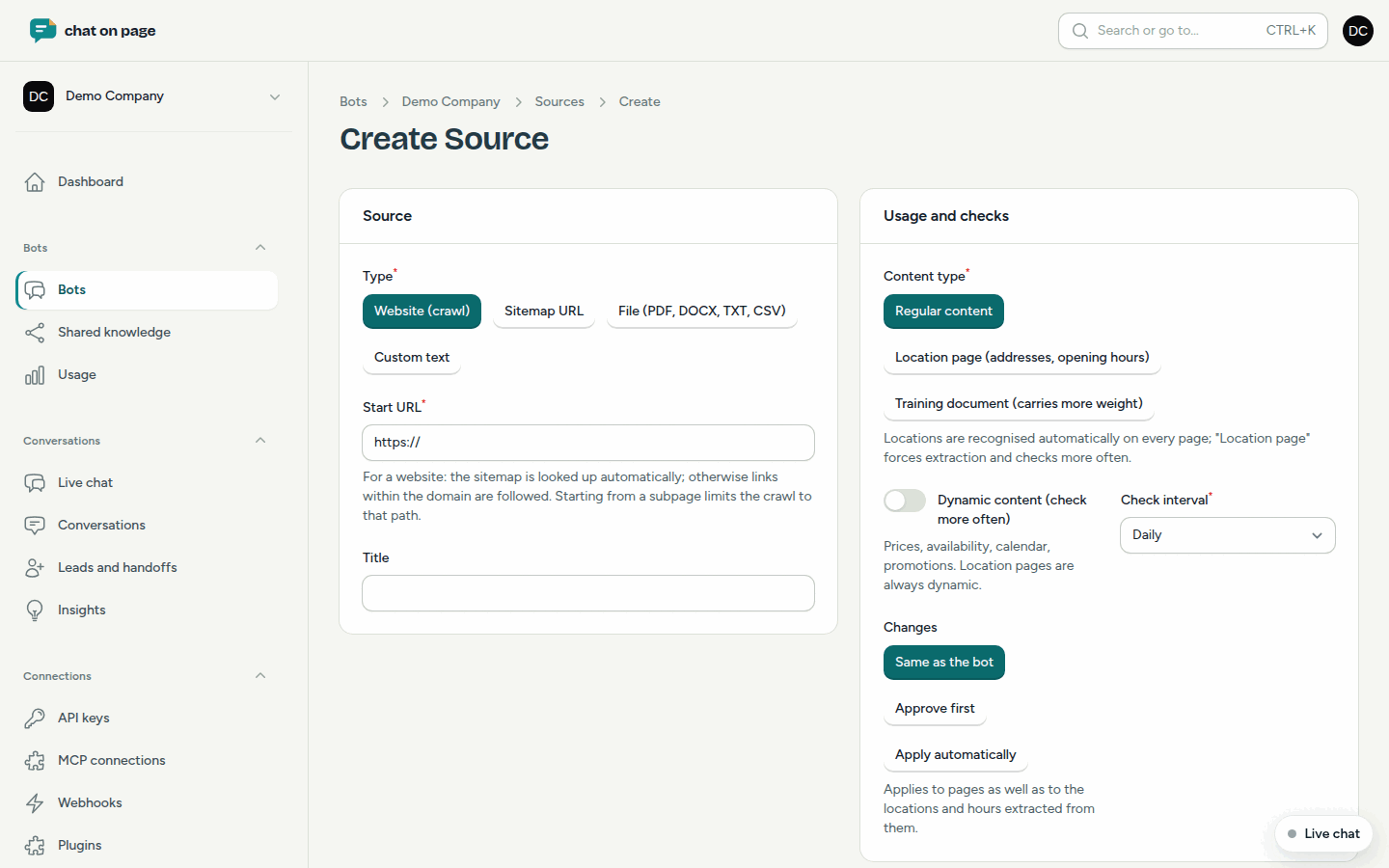
- Choose the Type:
- Website (crawl): enter the Start URL. The bot will look for the sitemap itself; without a sitemap, it follows the links within your domain. If you start on a subpage, it will only read that part of the site.
- Sitemap URL: the bot reads the pages from that sitemap.
- File (PDF, DOCX, TXT, CSV): upload a file of up to 20 MB.
- Custom text: type or paste text; Markdown is allowed. Useful for internal instructions or training text.
- Optionally give the source a Title and save.
Use and checking
- Content type: Regular content, Location page (addresses, opening hours) or Training document (carries more weight). Locations are recognised on every page; with "Location page" you enforce this and it is checked more often. See Locations.
- Dynamic content (check more often): for prices, availability, schedules or promotions.
- Check interval: from Every hour to Weekly. The default is Daily.
- Changes: Same as the bot, Approve first or Apply automatically. More about this in Changes.
For a website or sitemap, you can specify patterns to exclude under Exclude pages, one per line, for example \/vacatures\/*. Under Advanced, you can set Max. pages, Always render in browser (for sites that use JavaScript), Read all language versions and Ignore robots.txt.
Follow up on the source
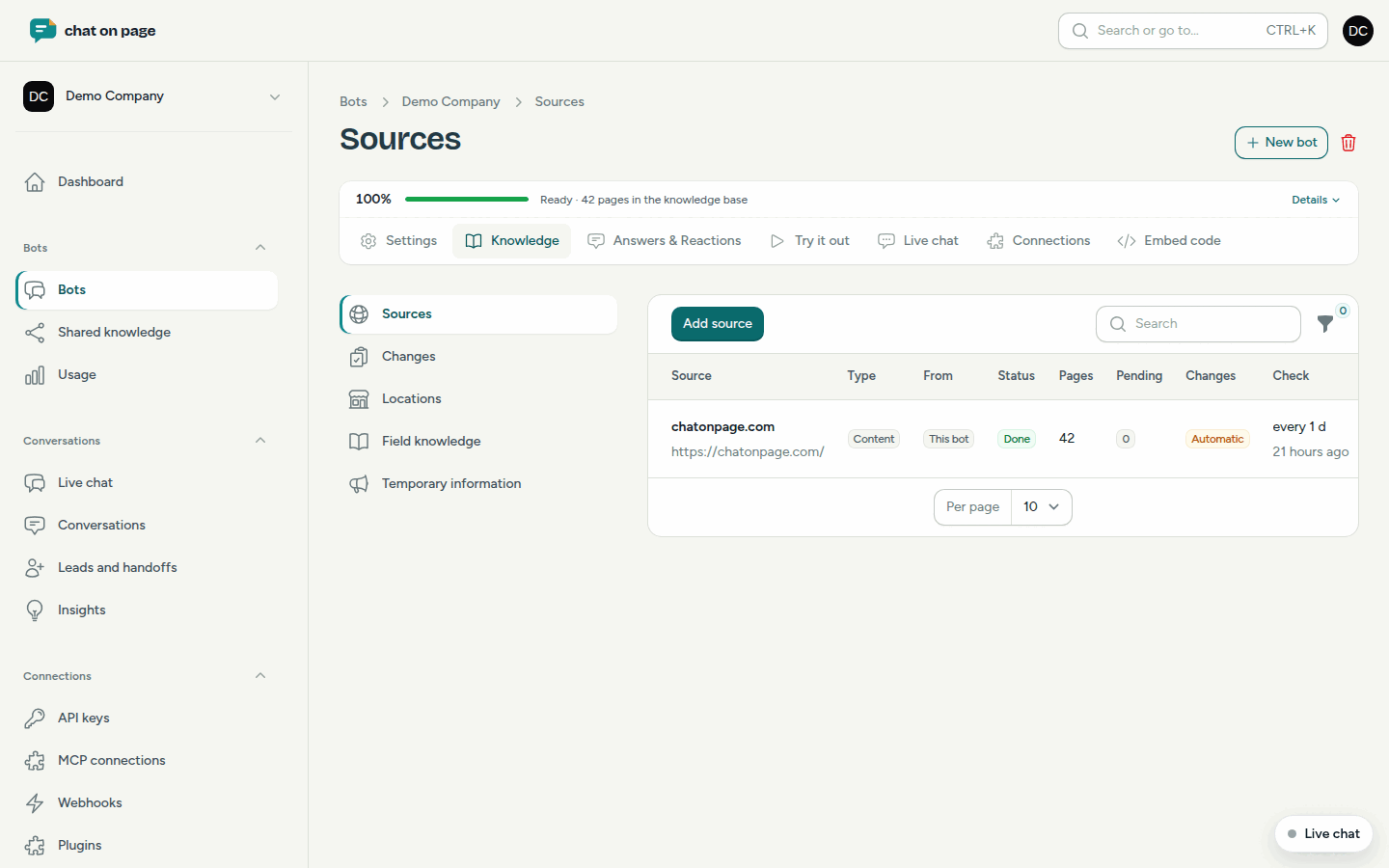
In the list, you see for each source the Status (Waiting, In progress, Done or Error), the number of Pages and when they were last checked. Using the action menu, select Check now to reread immediately. Open a source to see all the pages read and to exclude individual pages.
Good to know
- Each language version of a page counts towards the maximum number of pages. If the page limit is reached, you will see a message at the top with the Buy extra pack button. See Usage.
- If your robots.txt blocks pages, such as follow-up pages of product lists, you will be asked if you want to ignore robots.txt. This only applies to your own website and can be turned off again for the source.
- Sources that apply to multiple bots are marked as Shared in the list. You manage them under Shared knowledge.