
Temporary information with a start and end date
Let the bot know about an event, renovation or other temporary situation for exactly as long as it applies.
An open day, a renovation, a registration period or a closed car park: with temporary information, the bot knows about it for exactly as long as it applies. Outside the period, it acts as if it doesn’t exist, so you don’t need to clean it up.
Add temporary information
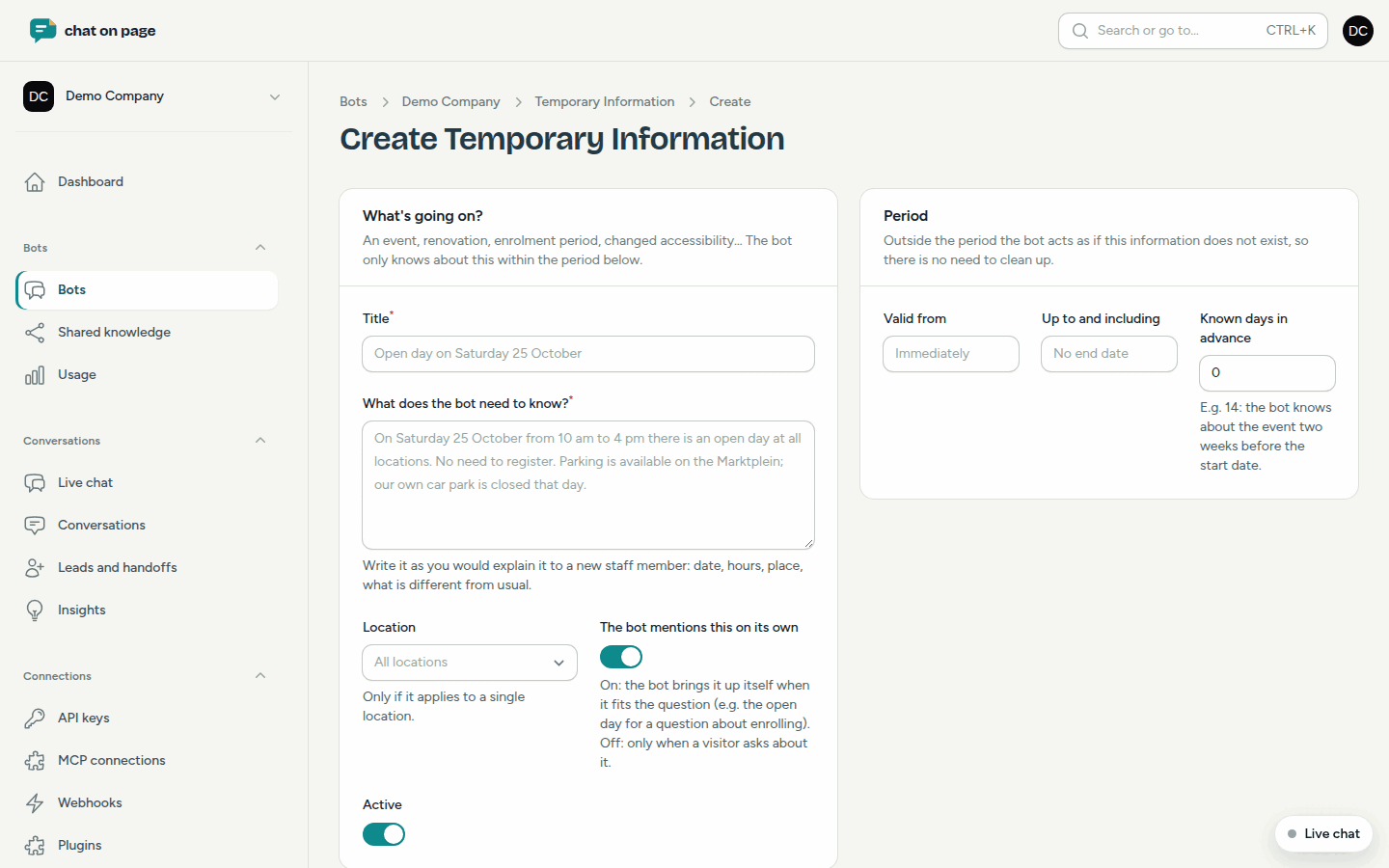
- Open your bot and select Knowledge > Temporary information.
- Click Add temporary information.
- Enter a Title, for example "Open day on Saturday 25 October".
- Fill in What does the bot need to know? Write it as you would explain it to a new employee: date, hours, location and what is different from usual.
- Does it only apply to one location? Select it under Location.
- Choose whether The bot mentions this on its own. On: the bot brings it up if it fits the question. Off: only if a visitor asks about it.
- Set the Period using Valid from and Up to and including. If you leave the start date blank, it applies immediately; without an end date, it remains valid.
- Do you want the bot to know about it earlier? Fill in Known days in advance, for example 14 for two weeks before the start date.
- Save.
Expected questions
Under Expected questions, add questions that visitors will ask about this, along with the answer the bot should give. For example: "Do I need to register for the open day?" with the answer "No, you are welcome without registration." These questions also only apply within the period.
The list
In the list, you see the Period and Status for each item: Current, Scheduled, Ended or Off. Does an event return every year? Select Copy from the actions: you get a copy with the same questions, where you only need to adjust the dates.
Good to know
- Temporary information carries more weight in answers than the text on your website.
- For something that remains valid, use Questions and answers.
- A location that is closed for a day or has different hours is better set as an exception under locations. This ensures the opening status the bot provides is also correct.
- Items marked Shared apply to multiple bots. See Shared knowledge.