
Try out your bot before it goes live
Test your bot in the portal under Try it out or on a preview page, in any language and as if on a specific page, and share a preview link.
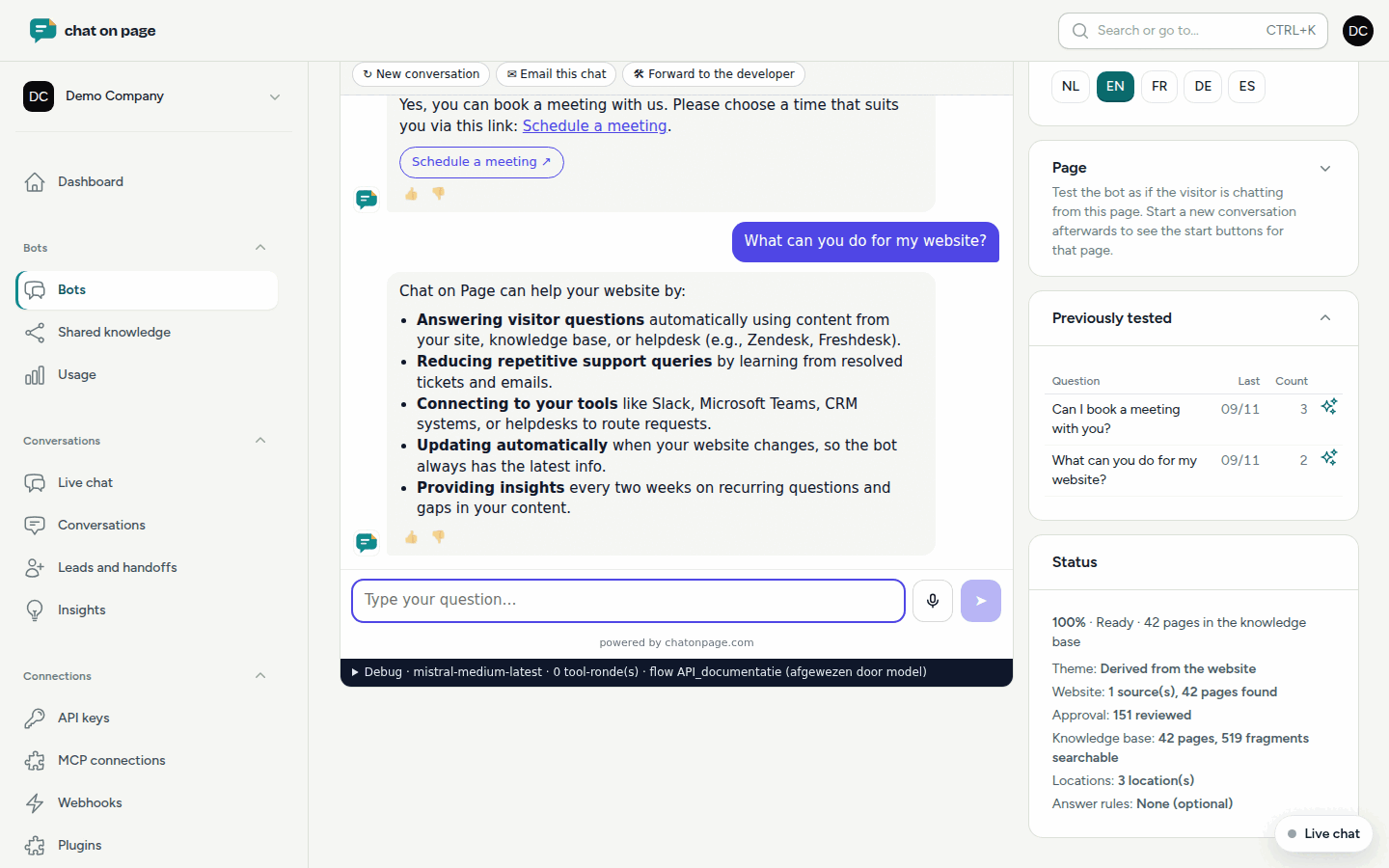
Under Try it out, you can chat with your bot just like a visitor would, but within the portal. This lets you see how it responds before adding it to your website, and after every adjustment.
Testing in the portal
- Open your bot and select Try it out.
- Type your questions in the chat window on the left.
- On the right, choose the Language you want to test in.
- If you want to test as if the visitor is on a specific page, select a page rule or enter a path under Page, such as
\/en\/contact. Then start a new conversation to see the start buttons for that page.
Under Previously tested, you’ll see the questions you’ve already asked, along with how often and when. Click a question to open the conversation. Under Status, you can see how far along the bot is with reading your site.
Improving an answer
If an answer isn’t quite right, click Create answer rule, or the icon next to a question under Previously tested. This way, the bot will respond to this and similar questions exactly as you want. See Answer rules.
The preview page
Want to see how the chat looks on a website, including the chat button and proactive messages? Click As on your website under Try it out, or Preview page in the top-right of the settings. A preview page will open in a new tab. If you make any changes, click Reload after a change.
Letting someone else test
Click Shareable preview link (72 h). You’ll get a link that works for 72 hours. Anyone who opens it can test the bot without logging in.
Good to know
- Conversations under Try it out, on the preview page, and via the preview link count as tests. In Conversations, you’ll only see real conversations by default.
- While the bot is still being prepared, you’ll see "The assistant is still being prepared". You’ll receive an email once it’s ready.
- If the Status is Draft, you can test the bot here even though it won’t appear on your site yet. A paused bot cannot be tested.
- On the preview page, the chat uses the colours from your settings. On your own site, if using automatic colours, it will follow the page’s colours; see Theme.
- Happy with the results? Add the chat to your site using the embed code.